
Preppy
Tap-to-print expiration labels. A touch kiosk that prints prep and expiry labels to any thermal label printer. Pick an item, pick a hold time, tap print. Running in about 25 stores since 2020 with millions of labels printed.

A small piece of Preppy, live.
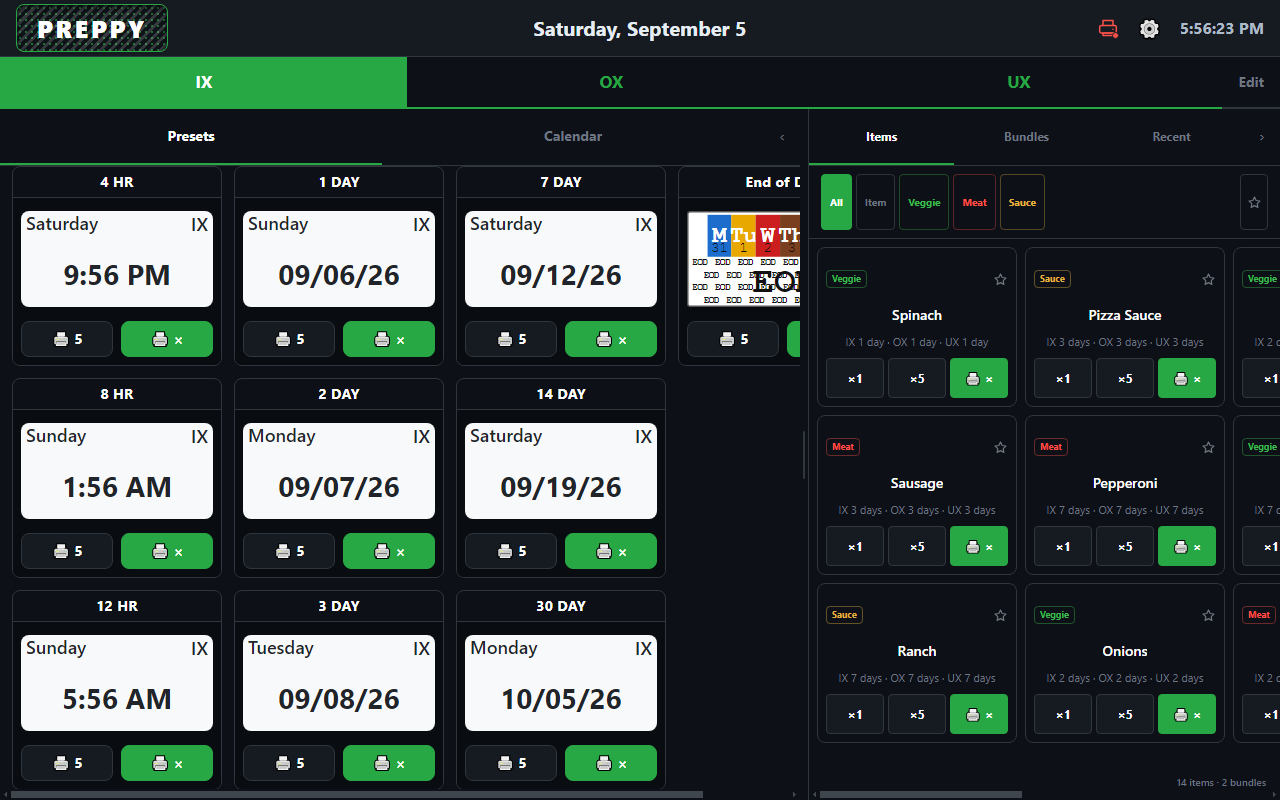
Pick a template, then tap a preset card to print one label or the 🖨 5 button for a batch. Each card previews the label on DayMark day-of-week stock, with the use-by day boxed on the strip.
Features
In about 25 stores across 3 franchises since 2020.
Presets from 4 hours to 30 days
Every card previews the label it prints, with the weekday and date worked out. One tap prints one, 🖨 5 prints five, 🖨 × prints any number.
Quick items and bundles
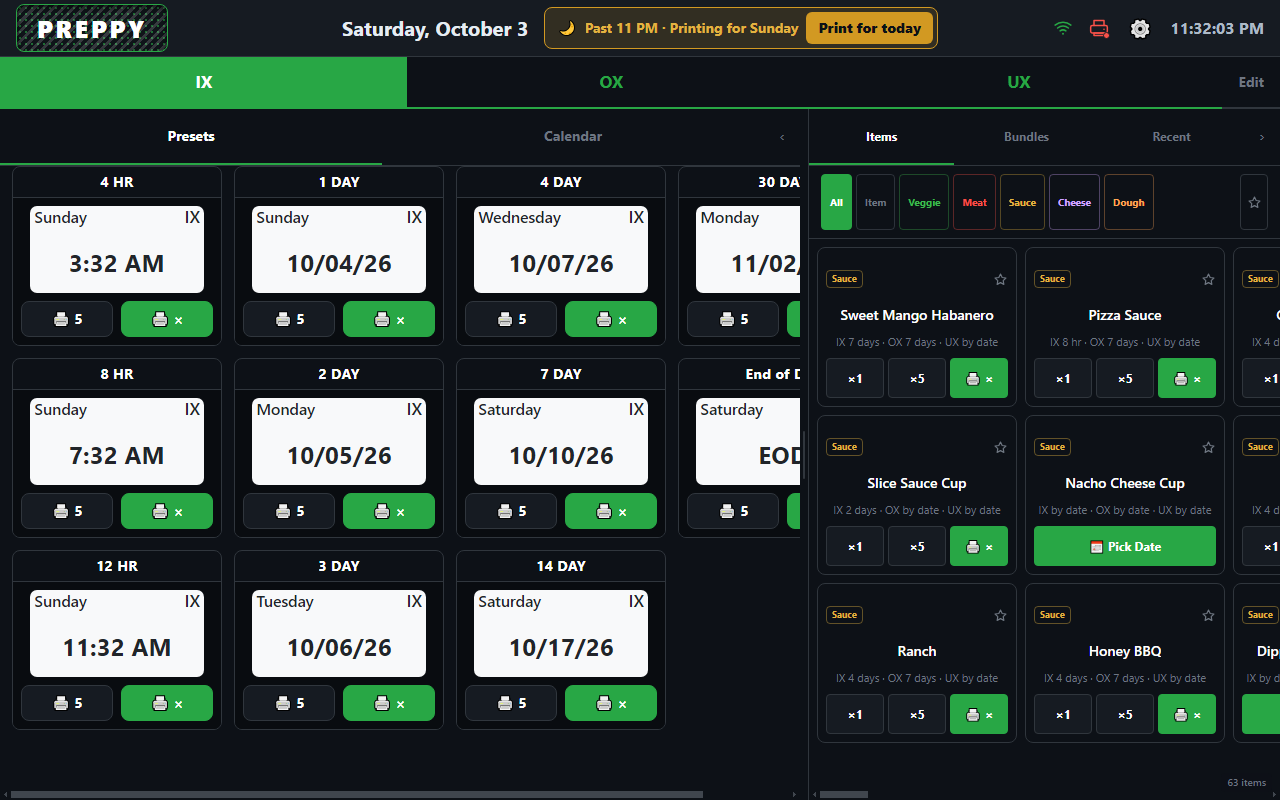
Items grouped by category with a shelf life per template. Bundles print a whole prep run in one tap. Start from the Shelf Life Guide pack.
Correct dates, every time
Day-first counting, a next-day cutoff with a Print for today override, minute rounding, and end-of-day substitution so labels match how your kitchen counts shelf life.
Managed from the console
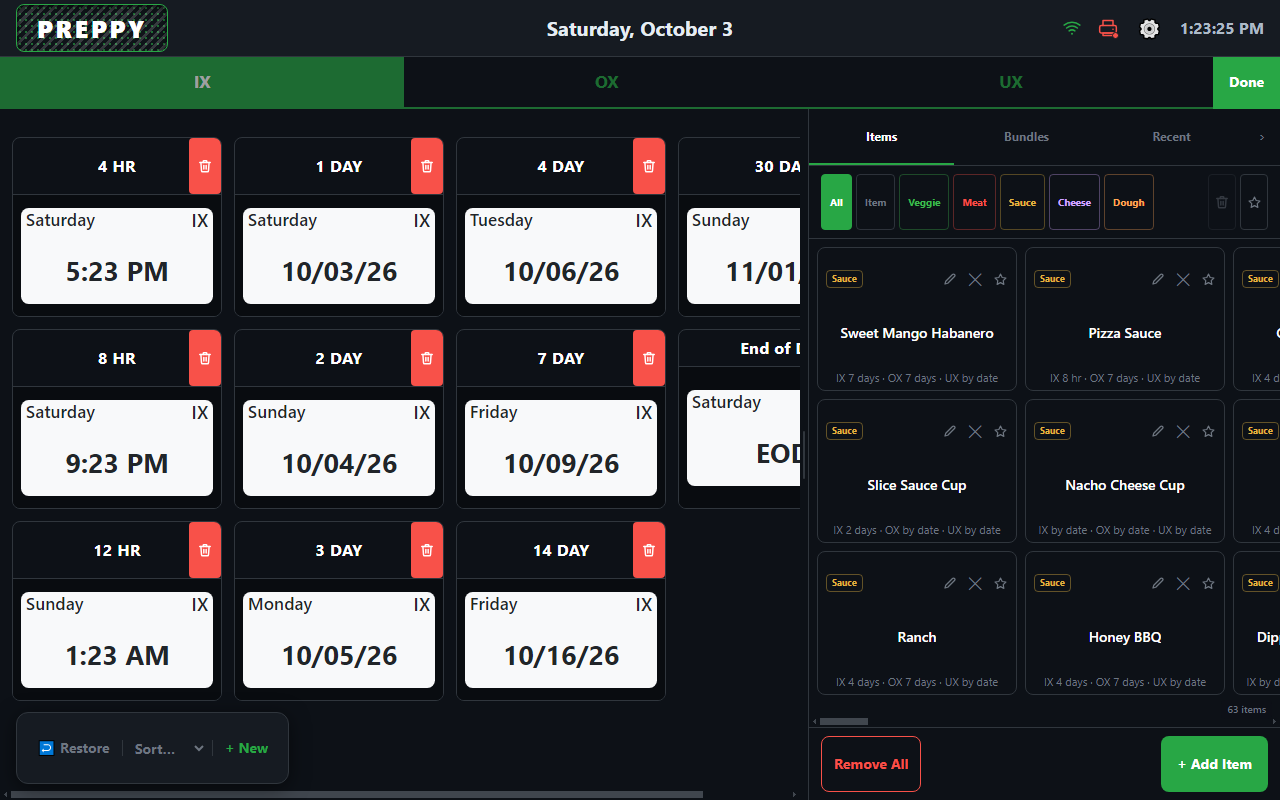
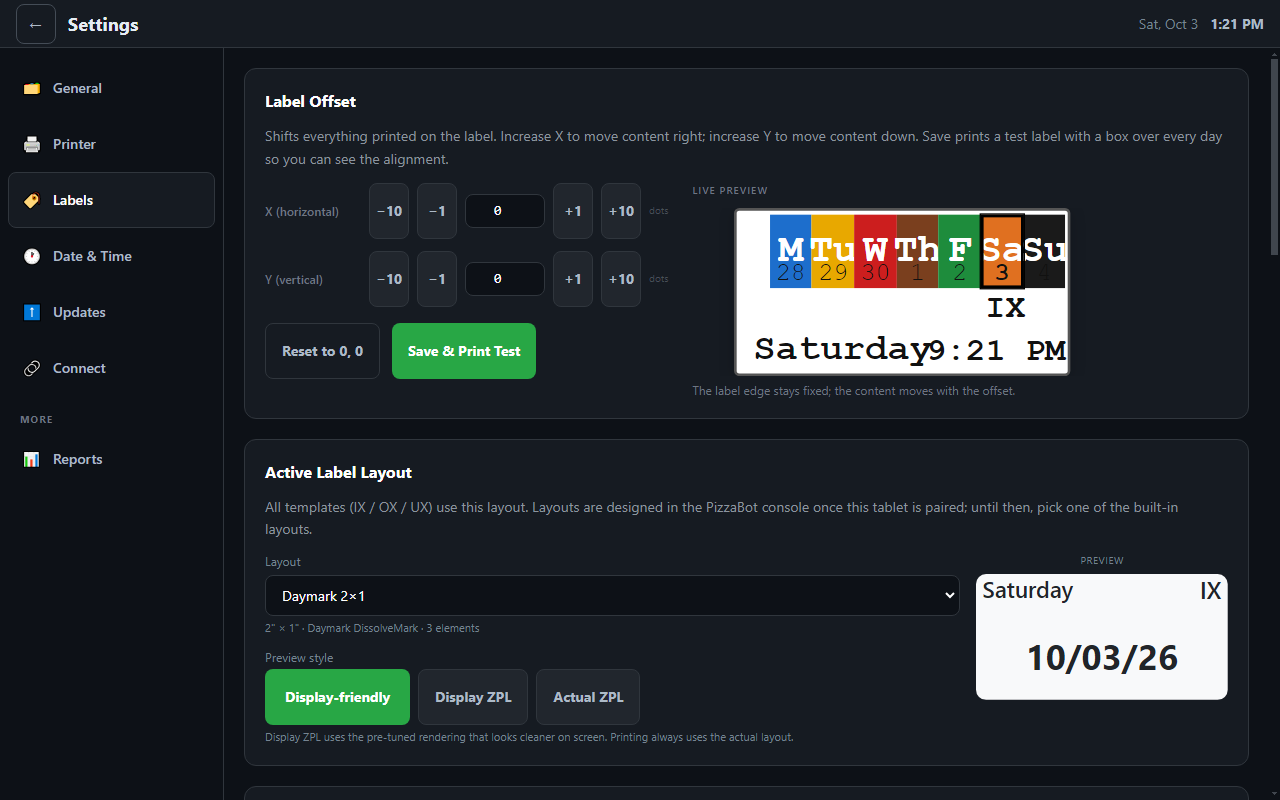
Presets, items, label layouts, and date rules are edited at app.pizzabot.io and sent to one tablet or every tablet in the store. A manager PIN protects the sensitive settings.
Updates itself
New versions download in the background and install overnight. No USB drives, no IT visit, and the console shows what each tablet is running.
Runs offline, supported remotely
Prints without internet. When something is off, a support code on the tablet lets us see the screen with the crew watching.
What it looks like
Bring your own, or order a kit.
Works with the Zebra label printers most stores already own. Bring your own tablet, or order a preconfigured tablet and printer kit for new builds.
Hardware guide →Try Preppy in one store.
Tell us how many stores you run and what you have on the wall today. We will send a quote and a setup plan.
Get a quote