
DMS
Dough Management System for the walk-in door. A kiosk at the walk-in door that knows every stack of dough: its size, its day, how long it has been out. It says what to pull and when, plans where a truck goes, alarms when dough is ready or past its window, and counts what was used each night.

A small piece of DMS, live.
Tap a stack in the walk-in to pull it to proofing. The demo clock runs fast, so a stack is ready in about ten seconds and the alarm fires.
Walk-in 35 trays
Proofing 1 out · 0 ready
Proof suggestions
Deliveries feed · mock
Features
In pilot at the walk-in door in our own stores. A few more pilot stores wanted.
Every stack, tracked
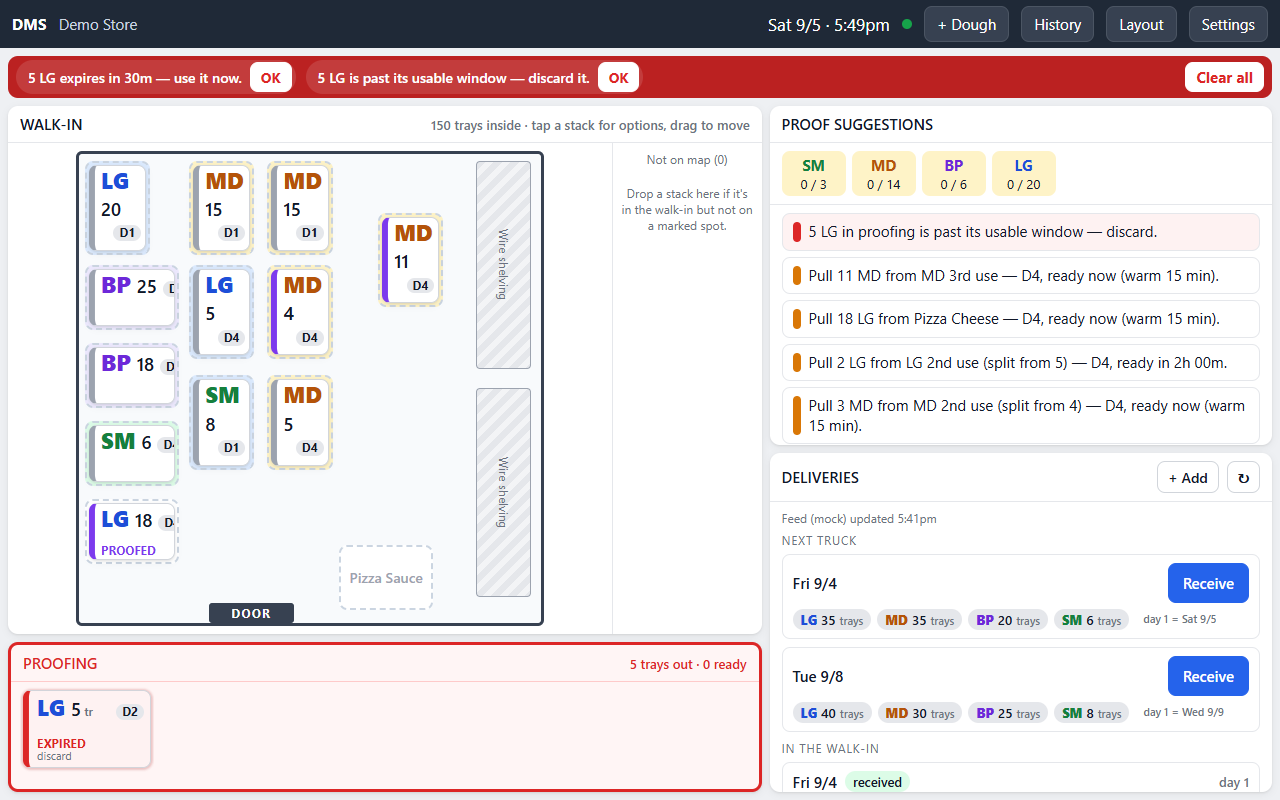
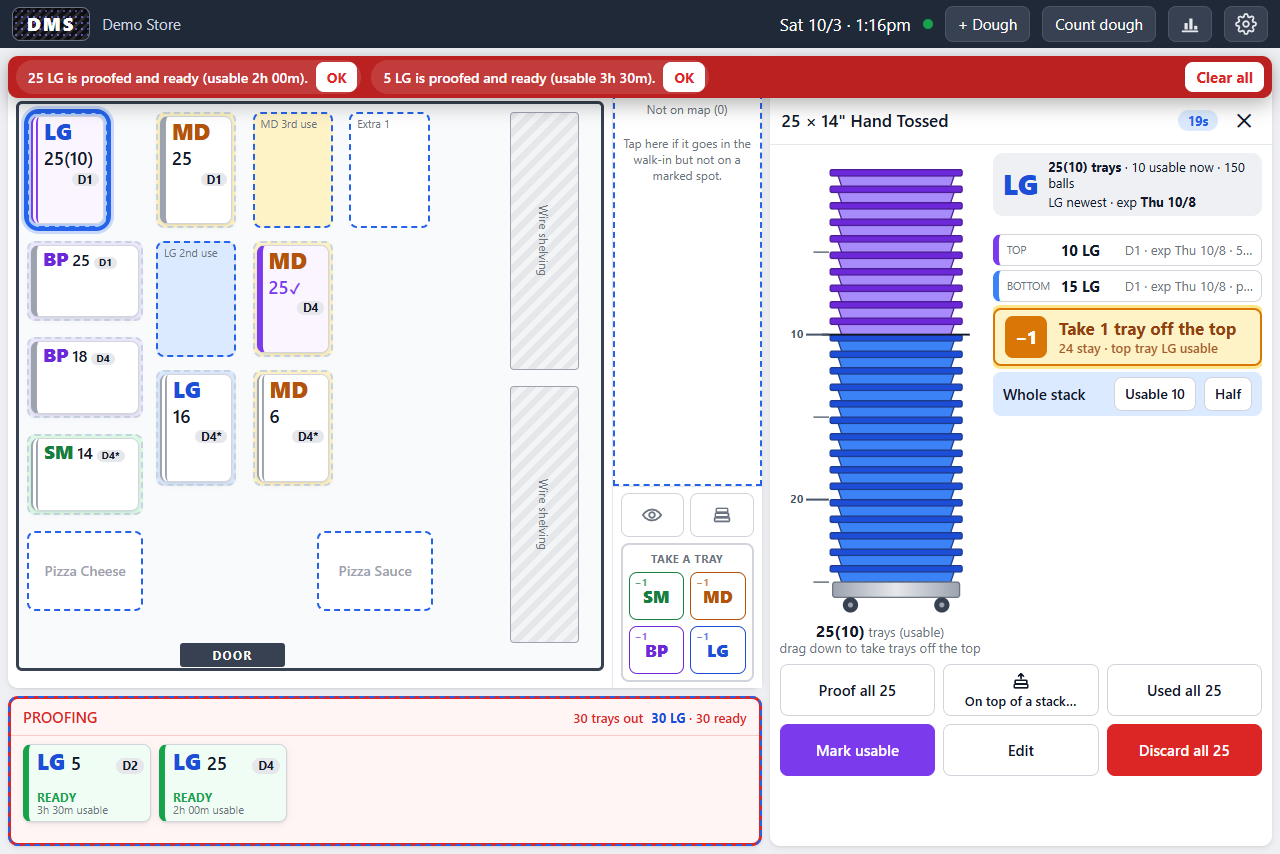
A map of the walk-in with every stack by size, tray count, dough day, and status. Tap a stack to proof, move, use, split, or discard it; press one button to log a tray to the line.
Proofing guidance
Weekday targets per size, set in the console, drive the suggestion cards: what to pull, from where, and when it will be ready.
Ready and discard alarms
An alarm bar with a tone when proofing dough is ready, when it is about to expire, and when a stack must be discarded, until someone taps OK.
Truck day, planned
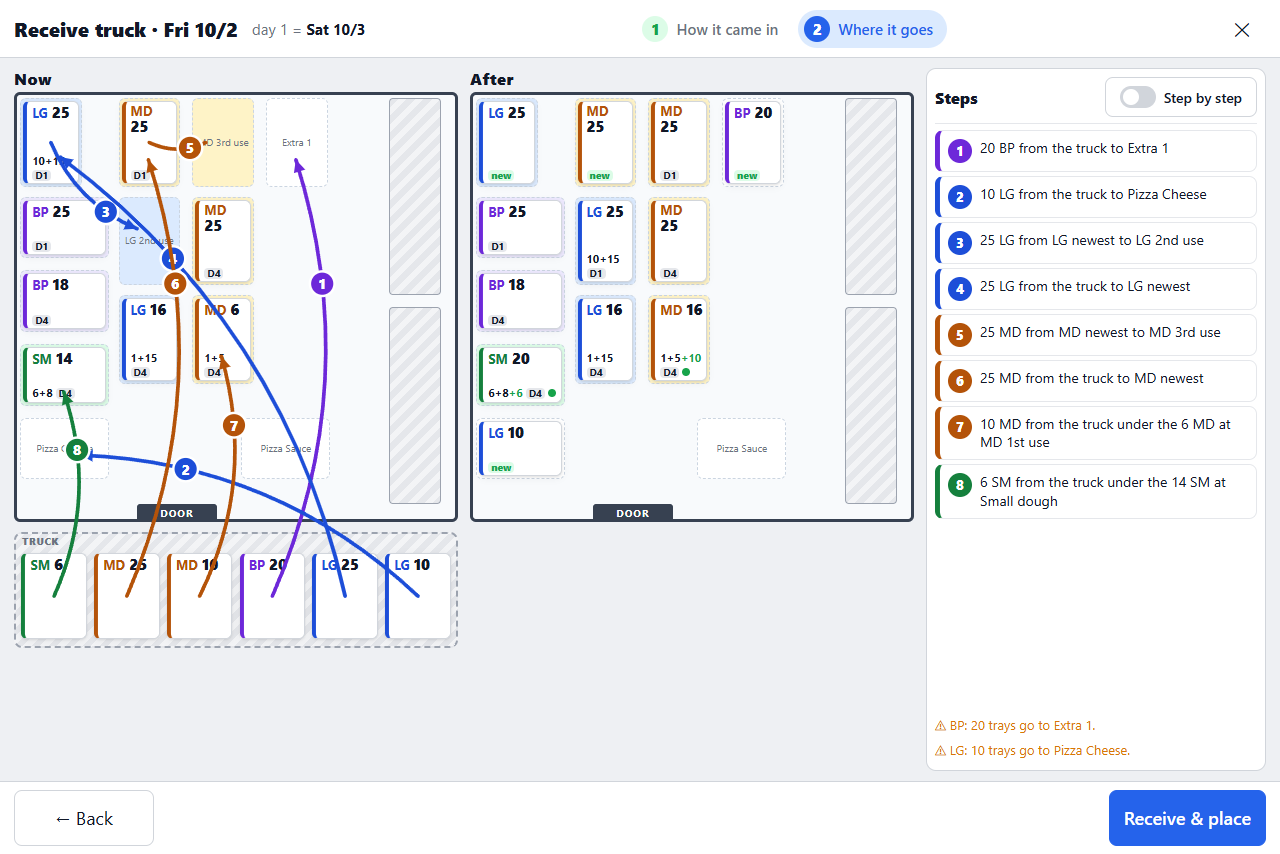
Orders arrive from HQ. Confirm what came off the truck, then follow a numbered placement plan that keeps old dough by the door and new dough at the back.
Nightly count and usage
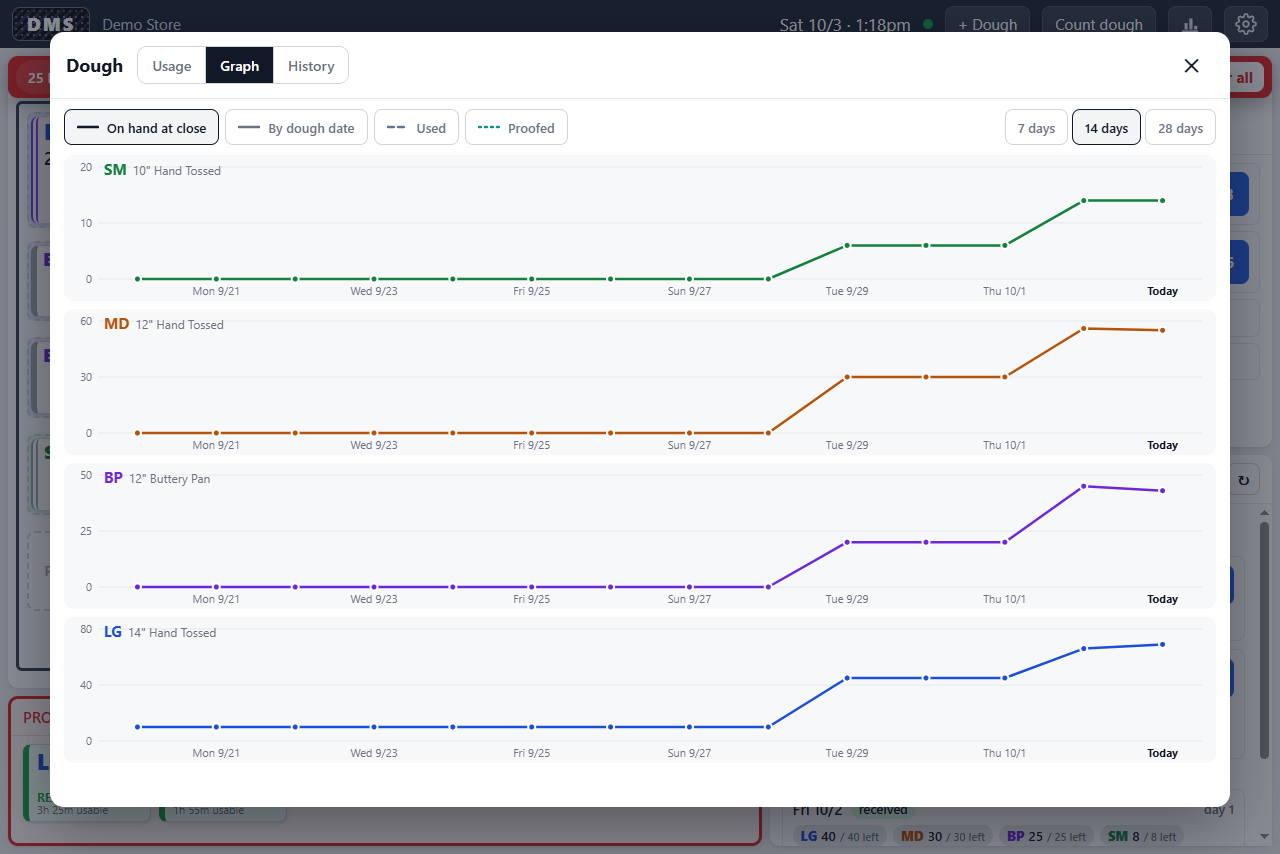
A count sheet at close, then usage per day and size, a graph of dough on hand, and the full history.
Managed from the console
The walk-in layout, sizes, proof targets, closing times, and count time are set once at app.pizzabot.io and sent to the tablet.
What it looks like
Bring your own, or order a kit.
A 10-inch Windows tablet mounted outside the walk-in; a Surface Go 2 is what we use. Bring your own or order the DMS kit.
Hardware guide →Try DMS in one store.
Tell us how many stores you run and what you have on the wall today. We will send a quote and a setup plan.
Get a quote