
Getting started with PizzaBot HQ
PizzaBot HQ is the back office for a multi-store franchise. Managers build and publish schedules, review applications, keep employee records, train the crew, track truck orders, and fill in the forms a store generates, all from a phone or a desk. It is built by a franchise operator and runs our own stores every day.
A quick tour
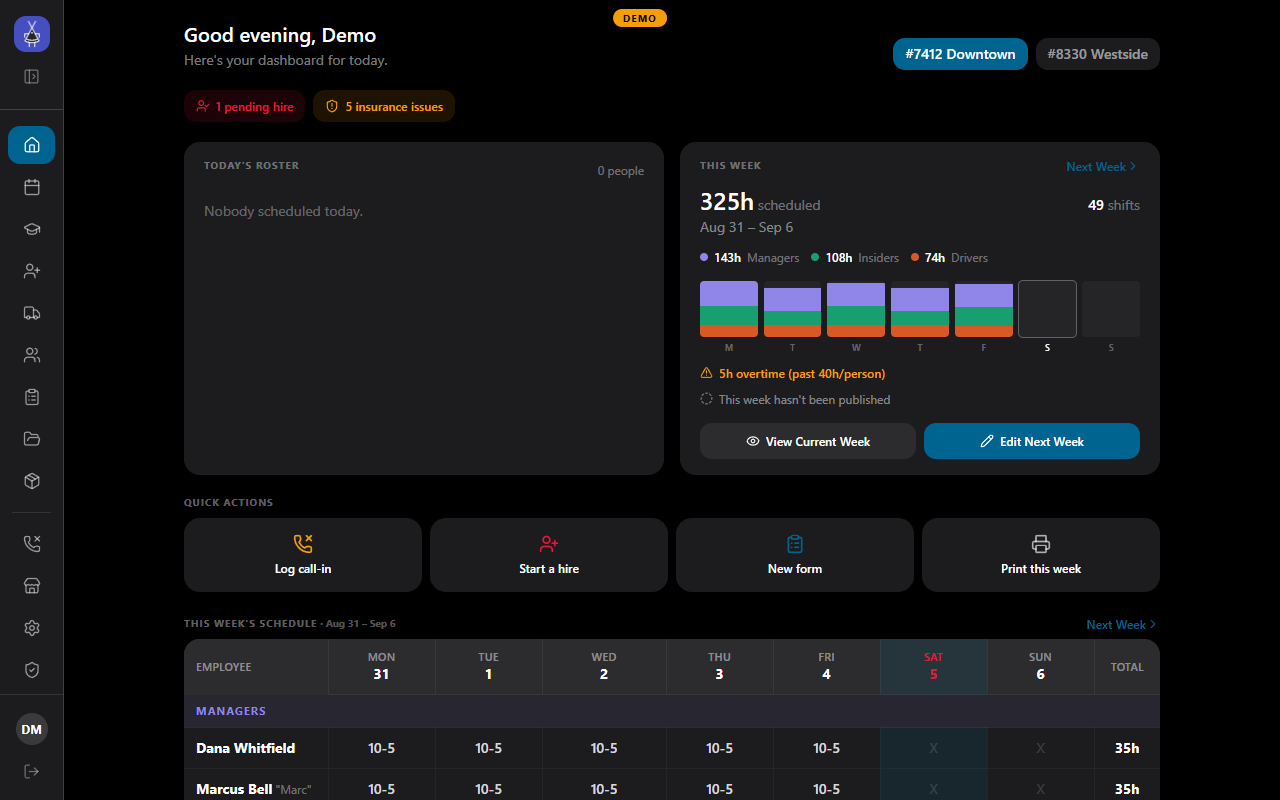
Section titled “A quick tour”Home answers the questions a manager has at ten in the morning: who is on today, who called in, how many hours are on this week’s schedule, and what needs attention. The alert chips (pending hires, insurance expiring, trucks not ordered) are one tap from the action, and each chip can be switched off in Settings.
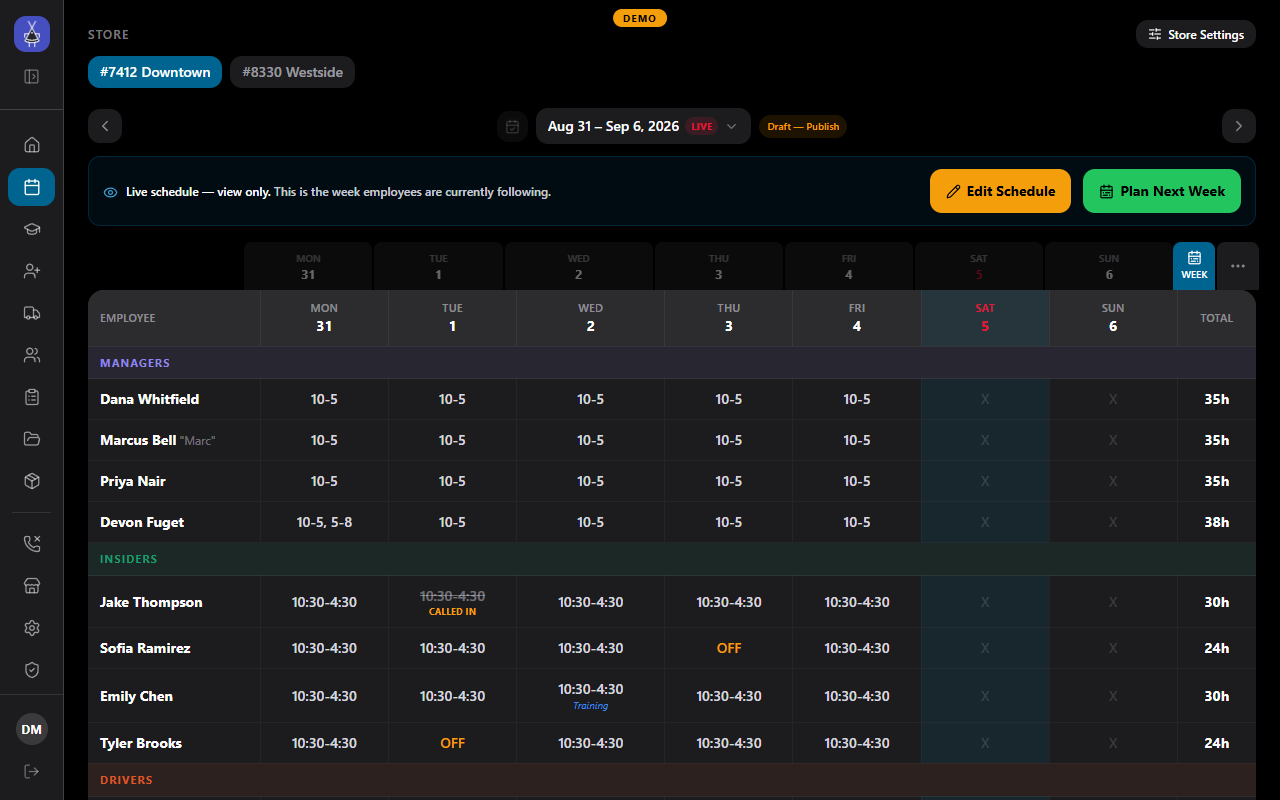
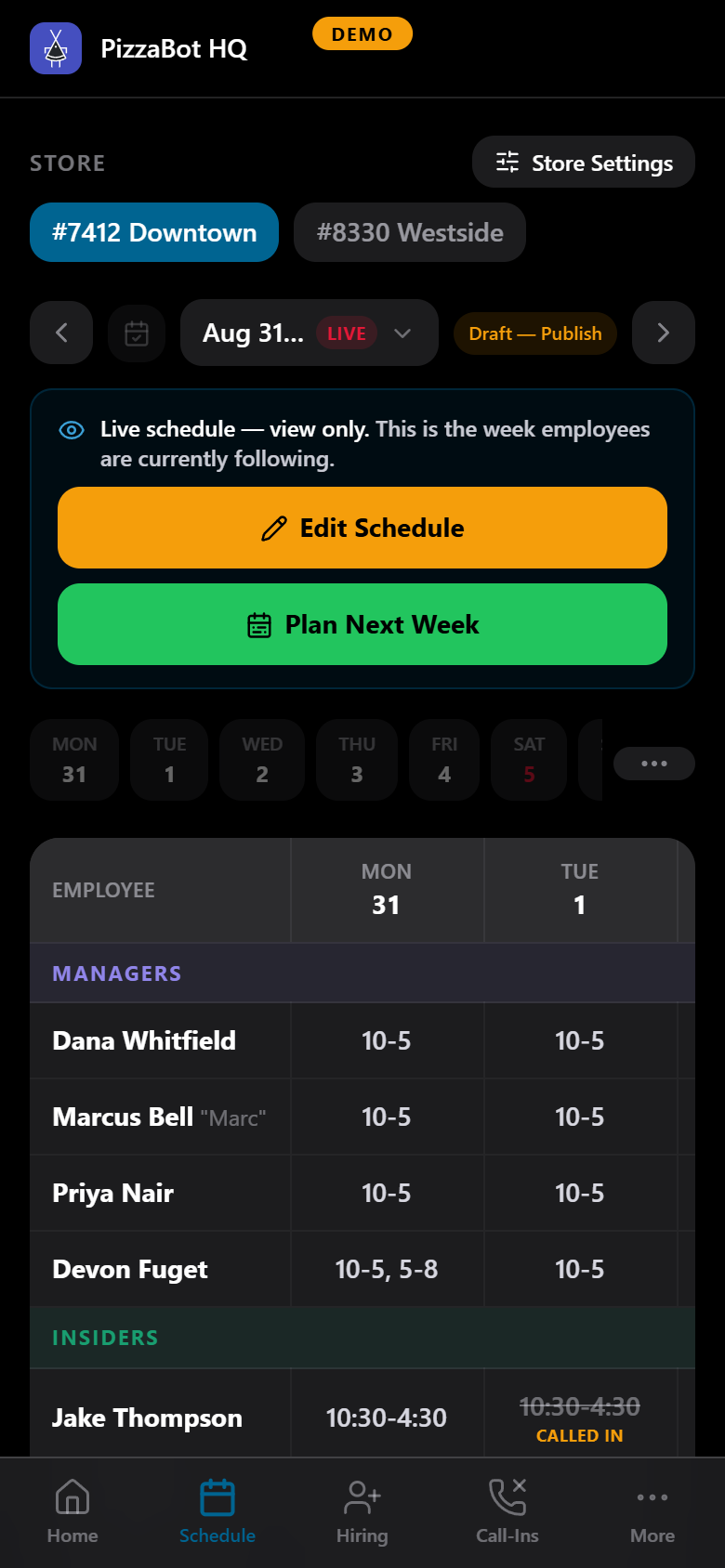
The schedule is a week board per store. Managers edit next week while the crew follows the live one:
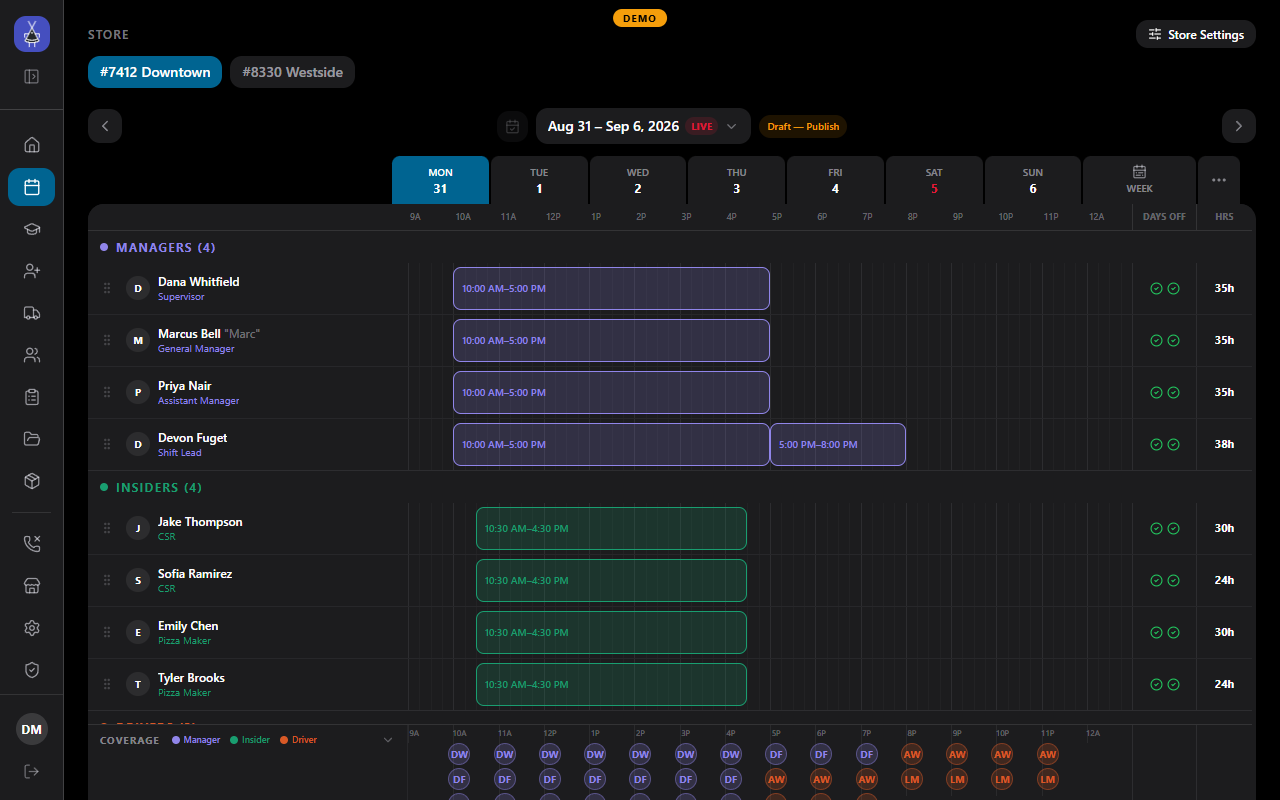
Each day opens as a timeline in fifteen-minute steps, with the store day running from 9 in the morning to 2 at night and a coverage strip by role underneath:
Everything works on a phone, so a manager can fix a schedule from the floor:
Modules
Section titled “Modules”- Schedule. Week board and day timeline per store, employees grouped as managers, insiders, and drivers, hour totals and overtime warnings, a coverage chart, shift templates, call-ins and lates, day tags for holidays, vacations, and events. Build the week as a draft and Publish it; HQ shows what changed since the last publish. The Planner builds next week from required shifts and availability, starting from a copy of last week. A published week can be printed, posted to your Discord schedule channel as an image that updates in place when the week changes, and, for stores that use the scheduling tool from the franchisor, imported from the schedule email it sends.
- Training. Learning pillars with lessons and quizzes, XP and levels per employee, unlocks by position and band, and a store wiki that the crew can search and that lessons link into.
- Hiring. A public application page on your franchise site, protected against spam. Applications land here for review and interviews. Approving one creates the employee record and sends the new hire an onboarding link for their documents.
- Trucks. Vendor order confirmations arrive by email and become delivery schedules, with lateness alerts and a reminder before the order cutoff when nothing has been placed. The same commissary orders feed the DMS tablets at your stores.
- People. Employee records: contact details, store assignment, wages by position, availability, documents, insurance expiry, food handler cards, and rehire eligibility.
- Forms. Write-ups, separations, vehicle accidents, and injury reports, with photos, from templates you can edit.
- Documents. Printable store documents in one place.
- Supplies. The equipment catalog with vendor pricing, equipment counts, uniform issuance, and supply requests.
- Call-ins. A log of illness and call-outs.
- Stores. Store info, hours, per-position wages, notifications, and the store’s card on your public site.
- Public site. A branded franchise site with store listings, hours, closure notices, specials, and the job application page, managed from Settings.
- Settings, Accounts, Office. Hiring and scheduling settings, the calendar, email, Discord, branding, who can sign in and at what tier, and an HR-only area for sensitive files and billing.
Calendar and Discord
Section titled “Calendar and Discord”Each employee can download their published shifts as a calendar file from My Info. A live subscription feed is on the list but not built yet.
HQ posts the published schedule to a Discord channel as an image and edits that post in place when the week changes. Linking employees’ Discord accounts to their records, role sync, auto-inviting new hires, and a moderation queue are built and run for our own franchise; we switch them on for a new franchise together with you, once the server exists.
Access
Section titled “Access”Sign-in is by email and password, created by an owner inside HQ; there is no self-signup. Four tiers (employee, manager, supervisor, owner) decide what each person sees, and a separate HR permission guards personal files. Every access rule is enforced in the database, not just hidden in the app.
Data handling
Section titled “Data handling”HQ stores employee personal data. Each franchise has its own instance and database, documents sit in private storage behind access controls, personal identifiers are limited to the HR permission and the owner, and off-site backups run nightly. The data is never used for anything but running your franchise. A full data handling summary is available on request for franchisor vendor review.